![ncga horizontal color 500.png]](https://support.ncga.org/hs-fs/hubfs/ncga%20horizontal%20color%20500.png?height=40&name=ncga%20horizontal%20color%20500.png)
How to Access the USGA Admin Portal
The USGA Admin Portal URL is adminportal.usga.org
If you are an admin for your club you should have received an e-mail from noreply@ghin.com with the subject “USGA Account Setup - Create a Password.”
Be sure to also check your spam or junk folder before reaching out, as automated emails are sometimes filtered.
If you did not receive that email, contact handicap@ncga.org and provide the following information:
- Club name
- Club number
- Role in club
We will then send you an email to set up your account access. The email will come from noreply@ghin.com with the subject USGA Account Setup - Create a Password. Note that the setup link in this email expires after 24 hours, so be sure to complete the process promptly.
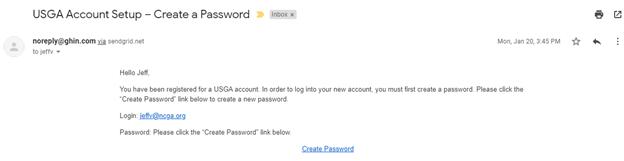
Once you have clicked the link and created your password, you will have access to the USGA Admin Portal. Log in at adminportal.usga.org to begin managing your club's handicap records.